Outline
Toolbar
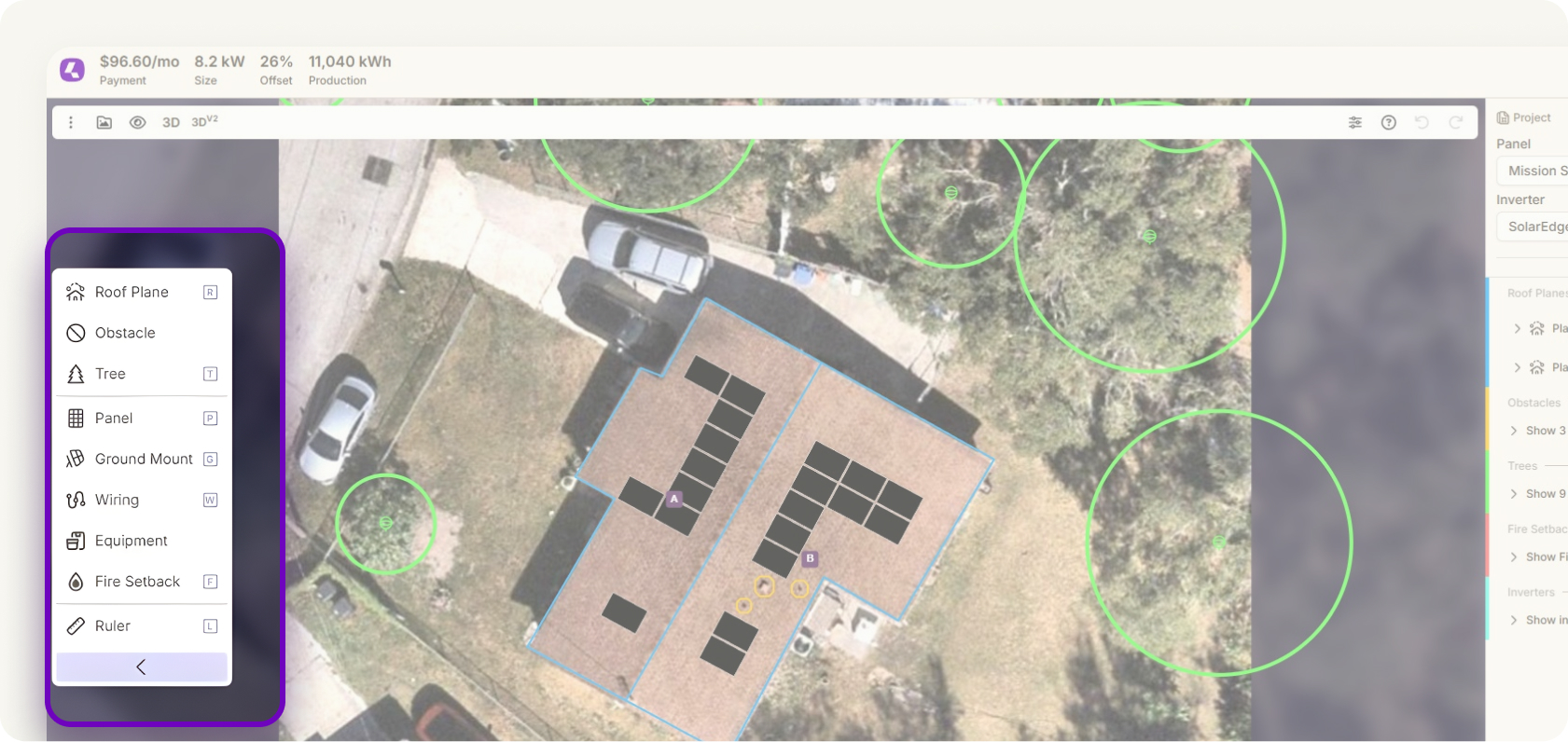
The Toolbar keeps everything you need within reach. Add roof planes, panels, obstacles, and more with a single click. Common actions are front and center, so there’s less hunting through menus and more designing. It’s built to speed up early layout creation and get you from a blank canvas to a complete system faster. Less friction means better focus on accuracy.
Full Canvas Control
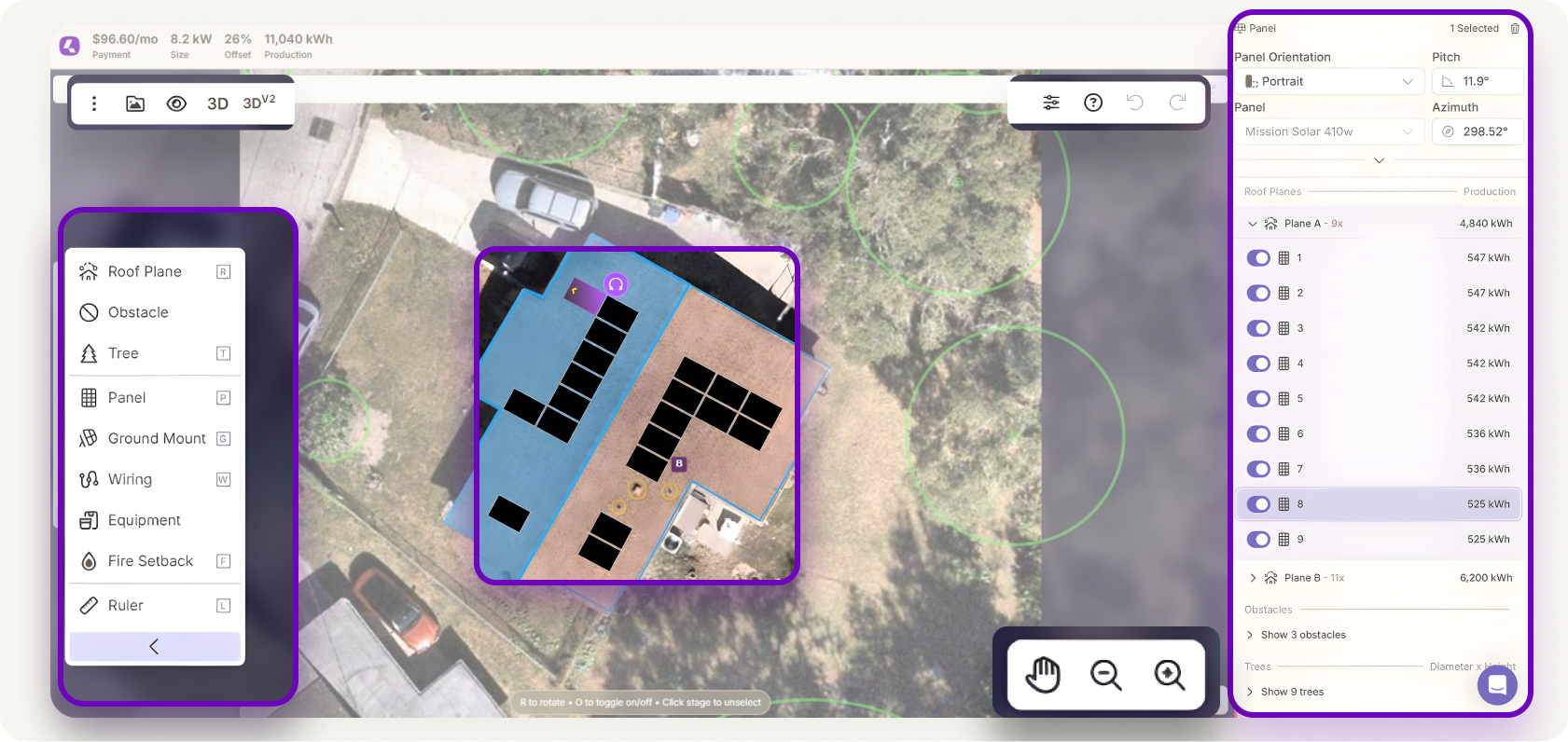
Full Canvas Control puts editing exactly where it should be: on the canvas. Drag, resize, rotate, and adjust components without switching tools or views. Every change is immediately visible, making reviews and collaboration easier. The experience feels fluid and intuitive, even during fast iterations. Designers can move quickly without losing precision.
Roof Plane Enhancements

Roof plane creation is now faster and more precise. Dotted line guides help with placement and alignment, reducing guesswork during setup. Azimuth snapping lets you orient roof planes instantly by clicking the directional arrow. Height adjustments make it easier to model multi-level homes and complex roof structures. These improvements reduce manual cleanup later.
Obstacle Modeling Improvements

Obstacle modeling is now more flexible and more realistic. Create circular, rectangular, or polygonal obstacles directly on the roof. Adjust heights to accurately represent vents, skylights, and rooftop equipment. Better obstacle modeling leads to more accurate shading and panel placement. That means fewer revisions down the line. Designs feel cleaner, and production estimates are easier to trust.
Advanced Tree Modeling
Tree modeling now supports both round and conical shapes for more realistic canopies. This makes it easier to represent how different tree types actually affect solar access. Designers can better match on-site vegetation without manual workarounds. Improved tree geometry feeds directly into more accurate shading calculations. Fewer adjustments are needed later.
Production Engine V2
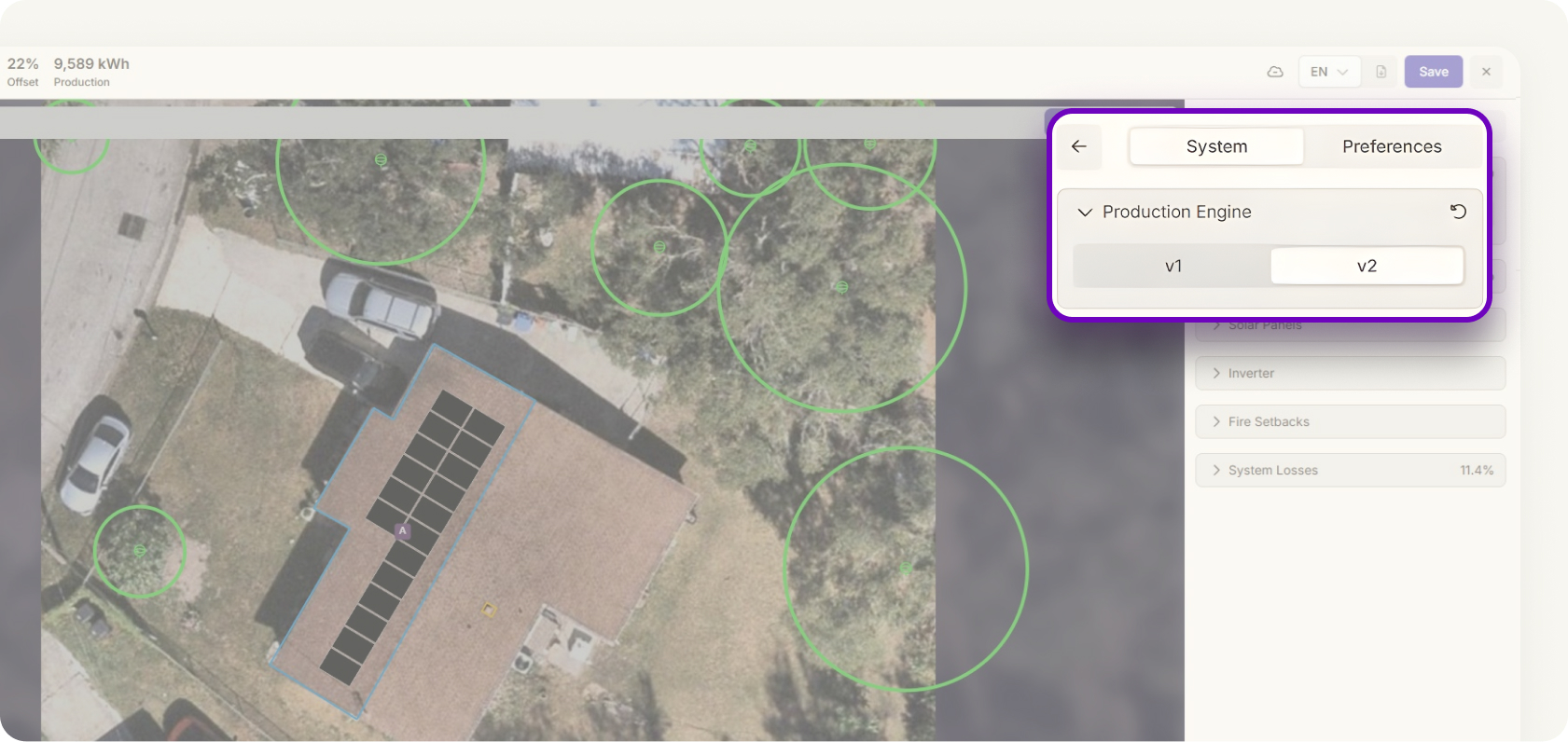
Production Engine V2 brings a smarter approach to accuracy. A new shading algorithm considers additional factors like state-specific default losses, inverter efficiency, and DC/AC ratio. These improvements produce estimates that more closely reflect real-world performance. Designs come together faster, with fewer assumptions. Teams can trust early-stage designs with less manual validation.


